Your iPhone app.
Appto finds the idea
A Mac app that finds the idea, designs, writes the code, builds the App Store page, submits to Apple from your account and then helps the app grow.
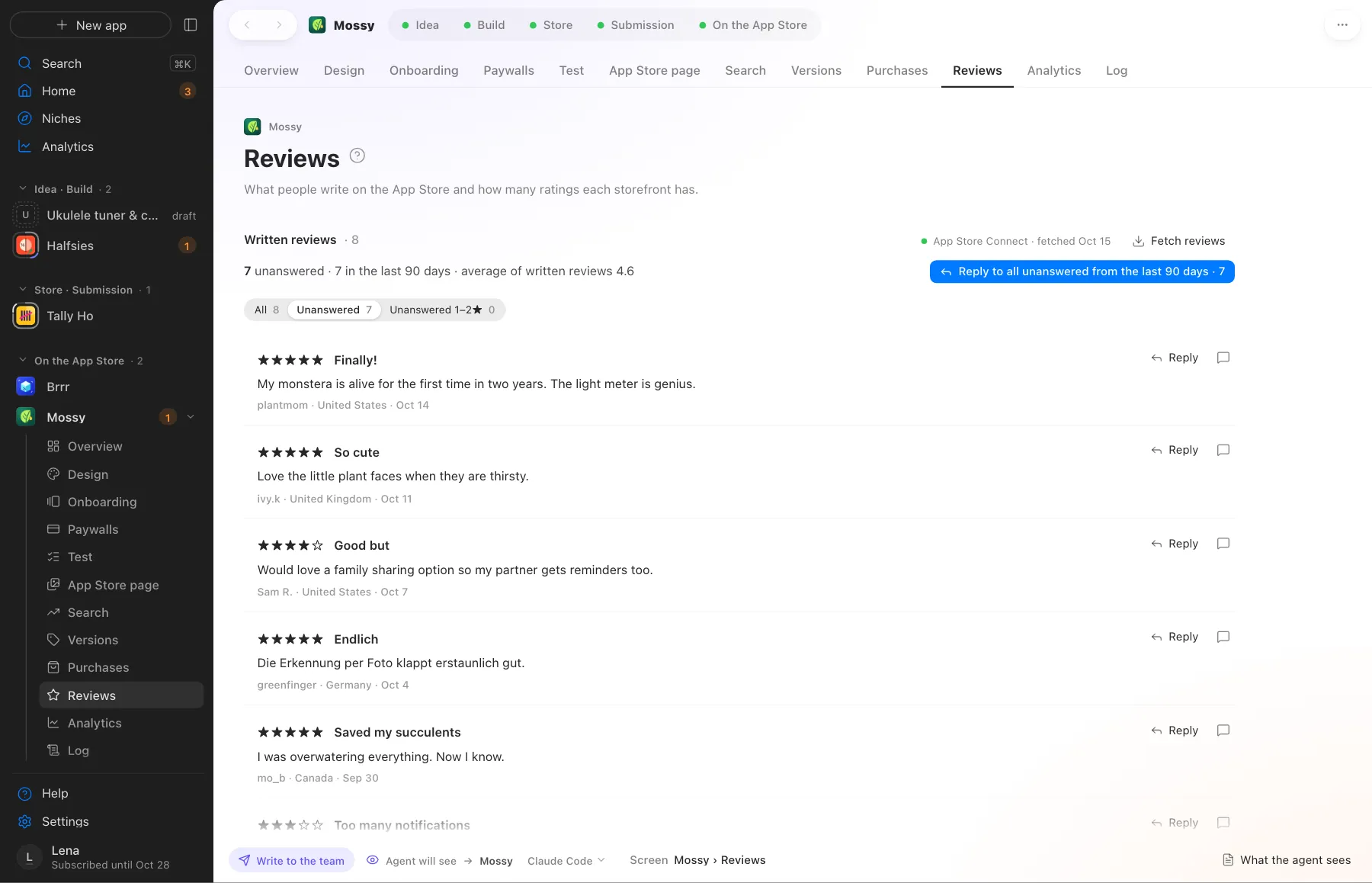
This is Appto at work
Your apps on the left, the stage in the middle, the agent on the right. Demo data.
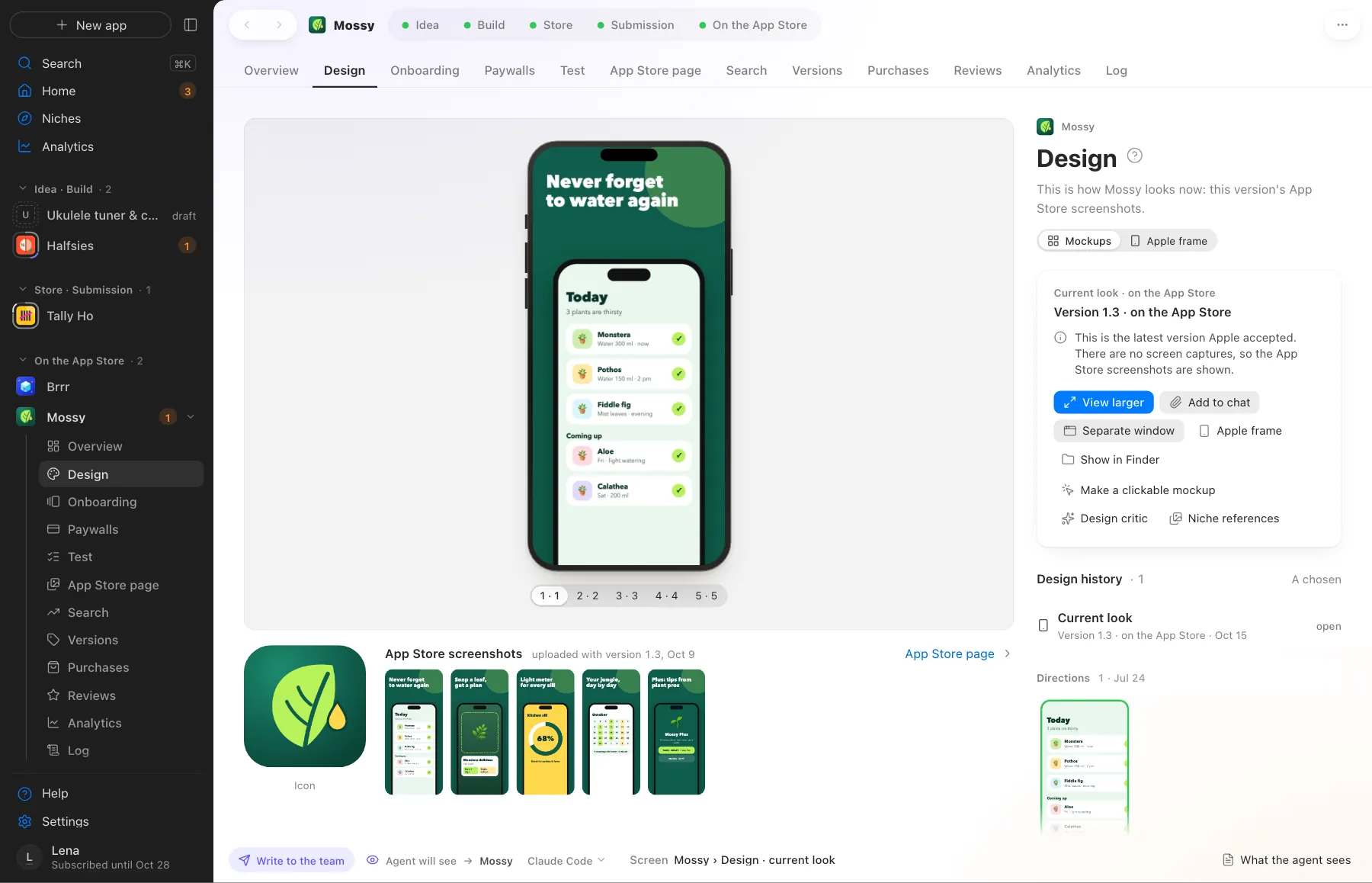
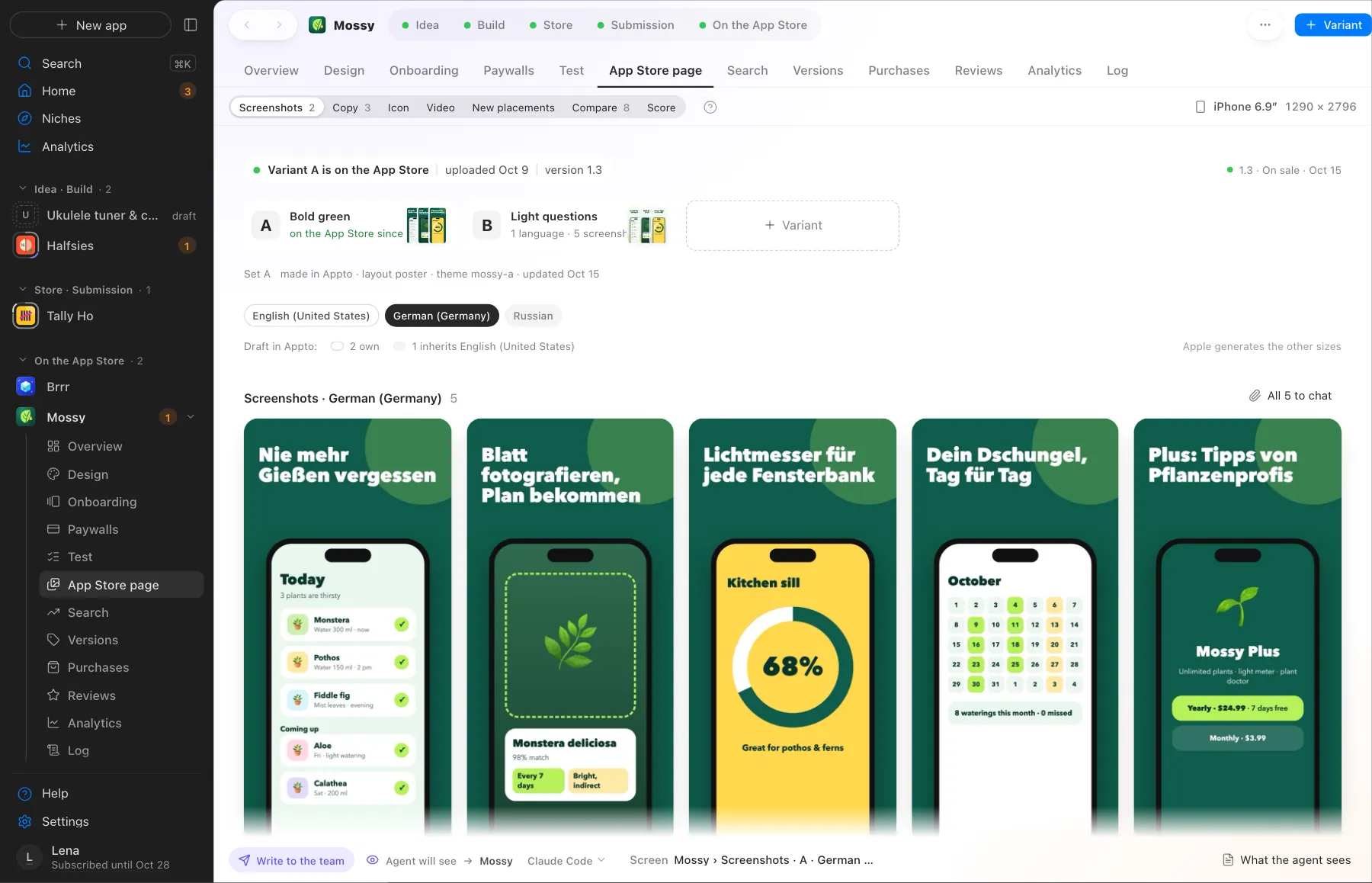
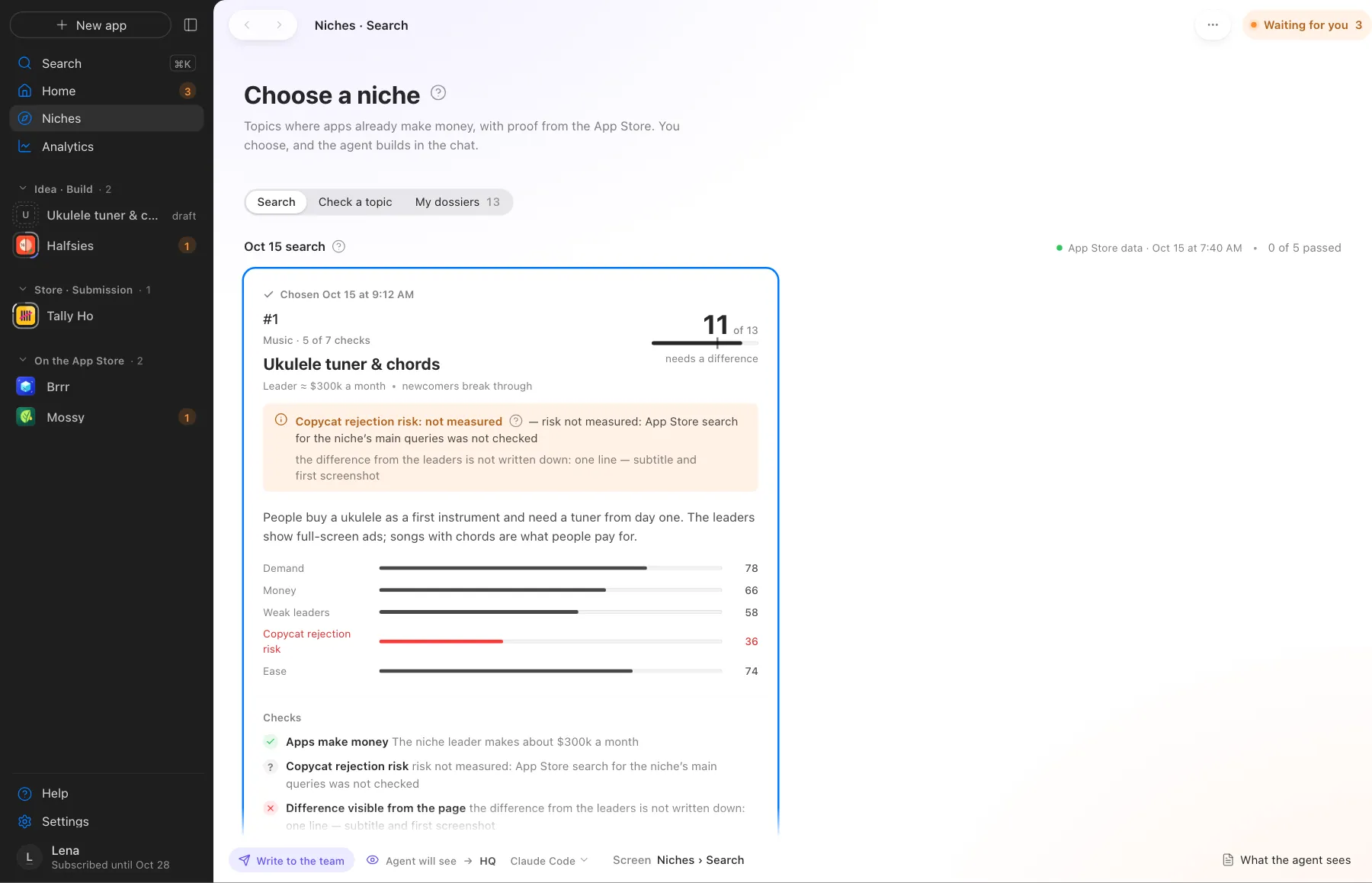
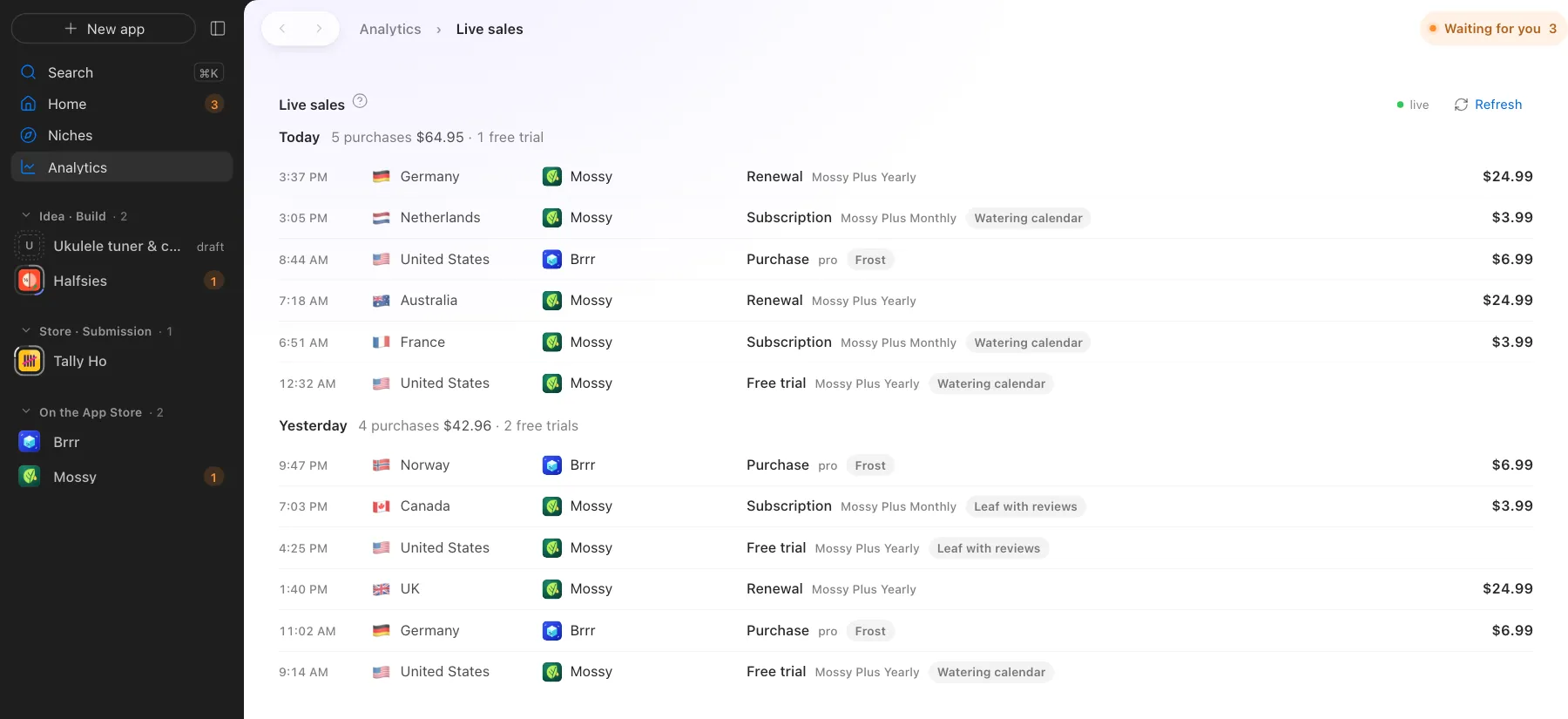
A whole team in one app
A store page in 39 languages
Screenshots and texts for each language
Onboarding and paywall A/B
Appto splits new users and counts purchases
Working now
Each app has its own agent
Reviews
“Couldn't find how to restore my purchase”
Search ranks
Revenue, last 30 days
Exact, from Apple's data
Nine stages from idea to sales. Appto leads the way
A stage is ticked only when it's real: a build, a screenshot, a record in App Store Connect. Where there's a choice or a write to App Store Connect, Appto asks briefly.






Your AI, on your subscription
Appto runs on Claude Code or Codex with the Claude Pro or ChatGPT Plus subscription you already have. Appto doesn't resell AI. Each app can have its own agent, and you can switch any time.
How many apps to run
Monthly subscription. Sales open soon; join the waitlist meanwhile.
Monthly subscription, you subscribe inside the app. Cancel any time. The first 7 days are free, no card: Solo, one app from the niche to a finished build on your iPhone. Uploading to the App Store opens with a subscription. The trial starts by itself when you sign in to the app. The first 7 days are free on any plan, with Studio open during the trial; a card is needed up front and the first charge is on day 8 unless you cancel. Want to look first? Download Appto, it has a demo on sample apps, with no sign-in or payment.
- Every stage to the App Store
- Niche research and checks, 3 searches a day
- Store page, submission, App Review
- Analytics and reviews
- Everything in Solo
- Apps in parallel, each with its own agent
- 10 niche searches a day
- Niche revenue estimates
- Sales as they happen
- Analytics across all apps
- Everything in Studio
- Multiple App Store Connect accounts
- 30 niche searches a day
- Priority support
You subscribe inside the app, with any card. Try the demo first, no sign-in.
Visa, Mastercard, Apple Pay, Google Pay, PayPal
- Your code and project are yours, on your Mac and in your GitHub
- Your own AI agent, Claude Code or Codex on your subscription
- Paid separately: the agent (Claude Pro or ChatGPT Plus from $20 a month) and Apple Developer ($99 a year). Appto doesn’t resell the agent.
- Turn off auto-renewal any time, 14-day refund
The 7-day free trial is once per person: per account, email and Mac. No card is needed and nothing is charged. Solo is open during the trial, except uploading to the App Store. You get an email two days before it ends, then it’s the demo until you subscribe, and everything you made stays.
The 7-day free trial is once per person, Mac and card: a card is needed up front, you get an email two days before it ends, and cancelling in the app or at appto.store/account means nothing is charged.
Studio: the first month at the Solo price for anyone who hasn’t subscribed to Appto before, once per person. From the second month $29.99 a month, charged automatically. You can cancel any time in the app (Account screen) or in your account on the site.
By paying for a subscription you accept the public offer.
Already subscribed? Your account · How auto-renewal works · Refunds
Get Appto
Sign in to the app and 7 days of Solo start by themselves. The demo on sample apps is inside too.Inside is a demo on sample apps, with no sign-in or payment. When you decide to build, sign in with your email or Google and pick a plan in the app.
Download for MacFor Macs with Apple silicon or Intel, macOS 12 or later. Building apps needs Xcode 26, which needs macOS 15.6 or later.
Join the waitlist
We'll write once, when sales open. The first on the list get in earlier.
Couldn't send that. Try again or write to support@appto.store.
Done. We'll write when we open.
For Macs with Apple silicon or Intel, macOS 12 or later (macOS 15.6+ to build apps). We'll only email about the Appto launch.
The short answers
Do I need to code?
No. The agent writes the code, Appto leads the app through the stages and shows, one at a time, the few steps in Apple's account that need a person.
Which agent do I need?
Claude Code or Codex with your own subscription. We have no tokens and don’t sell them. Each app can have its own agent, and you can switch any time.
Where do my keys and code live?
On your Mac. The App Store Connect key sits in the macOS keychain, your apps in your private GitHub repository.
Who submits the app to Apple?
Appto prepares everything and submits to Apple from your developer account, or shows you what to press in App Store Connect. The app ships under your name.
Does Appto work for a studio?
Yes. Studio runs up to 10 apps, and Pro up to 100 across multiple App Store Connect accounts, each app with its own agent.
Which Mac do I need?
Any Mac with Apple silicon or Intel on macOS 12 or later, each with its own build. To build apps you need Xcode 26 and at least 100 GB of free space. Xcode 26 installs on macOS Sequoia 15.6 or later, and Setup in Appto checks this first. One account works on up to three Macs.
How does Appto update?
On its own. When a new version is out, Appto offers to update and restarts once the agents finish their work.
Will Apple approve my app?
Nobody can promise that. Appto writes the code from scratch for your idea and checks it against the App Store and your other apps before any code.
All answers about code ownership, keys, AI in your apps and pricing →