
The agent works with your Figma
Connect Figma, and the agent builds the app’s screens from a mockup in your file and puts design directions into Figma for you to adjust by hand. You sign in with your own account in the browser.
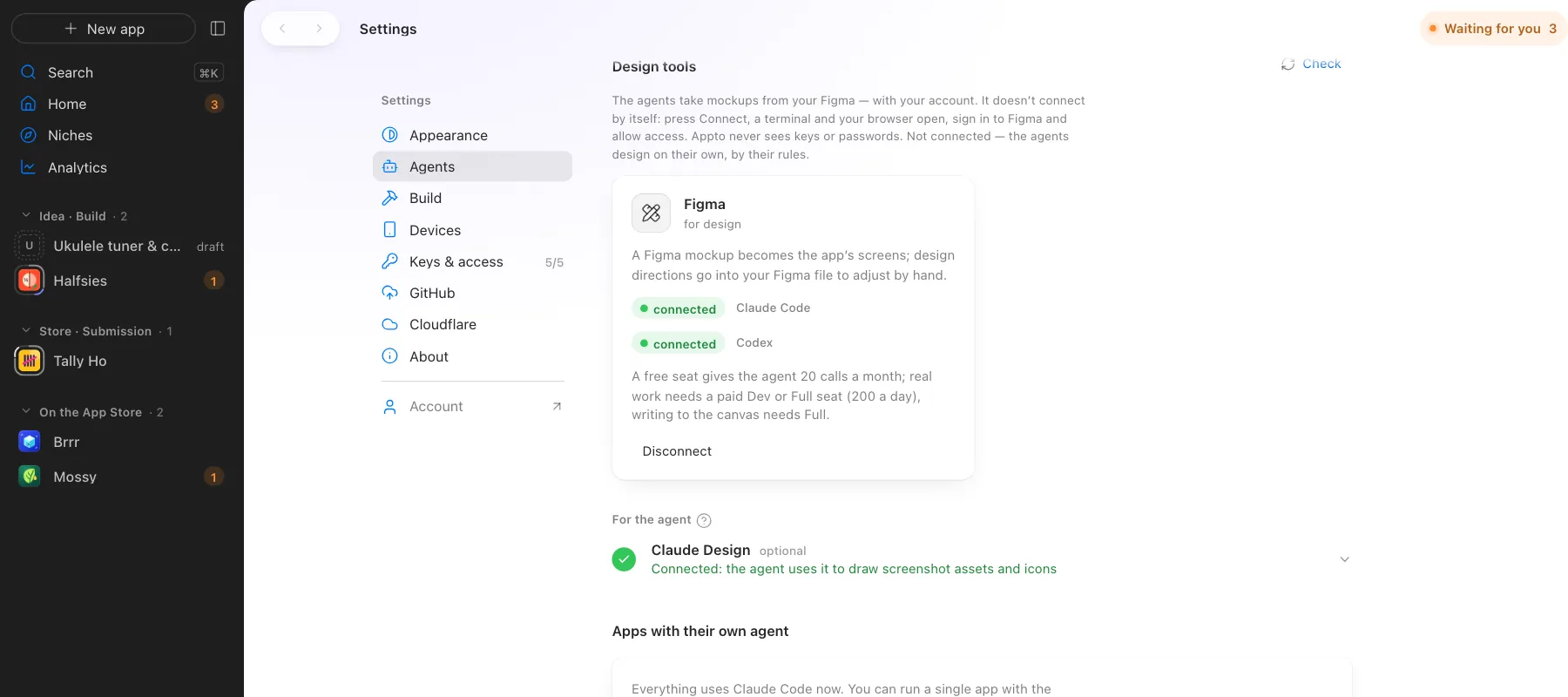
Figma connects to your agents with your own account
What Appto does and where you choose
Appto does it
- Builds screens from a Figma frame: structure, colours, fonts and spacing
- Puts design directions into your Figma file for you to adjust by hand
- Checks the result with the design critic in light and dark mode
Your choice
- Connect Figma in Settings
- Share a frame link
A free Figma seat gives the agent 20 calls a month; real work needs a Dev or Full seat.
More screens
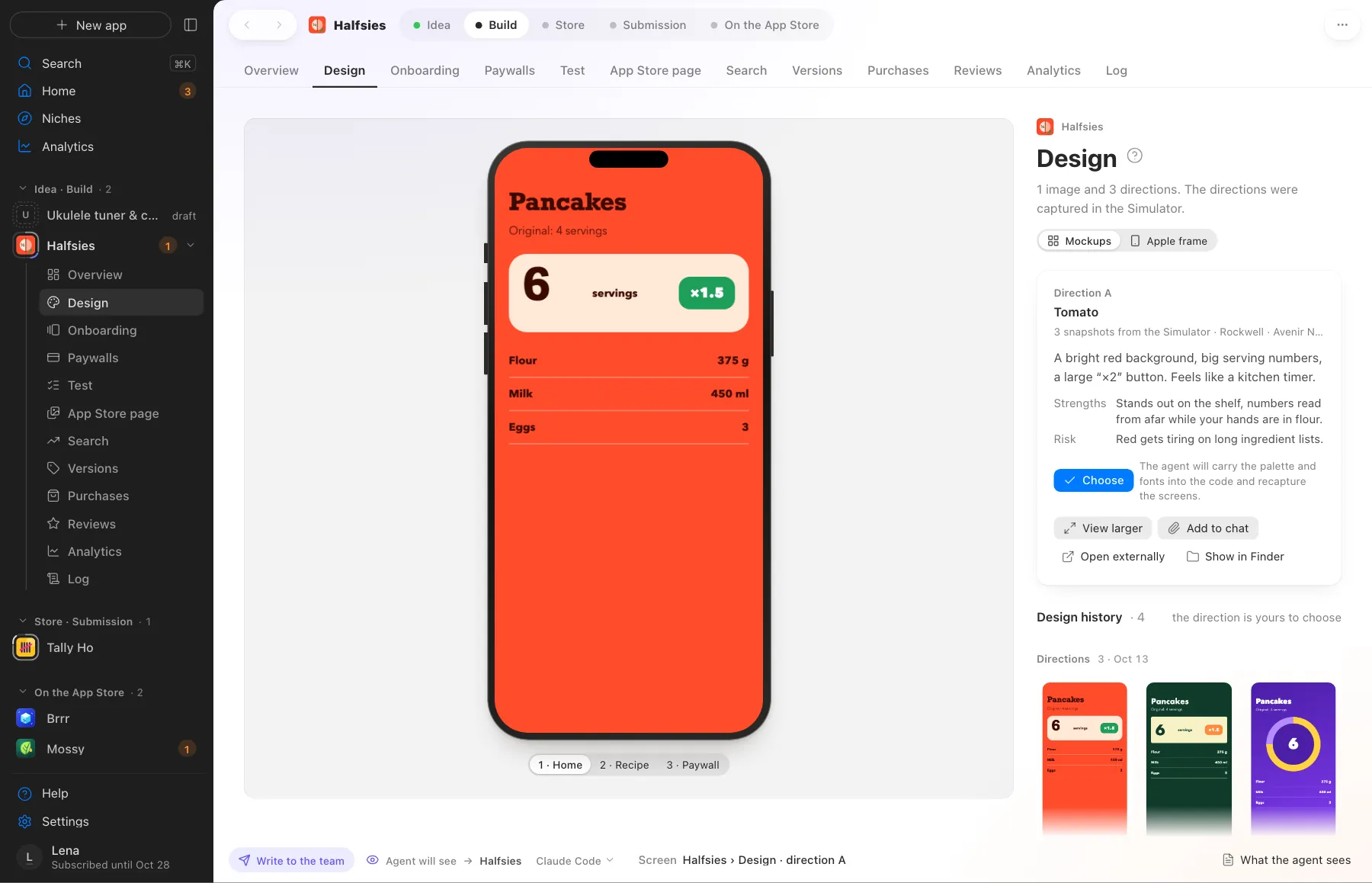
Screens use demo data, with no real apps or numbers.
Where this happens
Settings › Agents › Design tools. Works with Claude Code and Codex.
Nearby on the path
 14
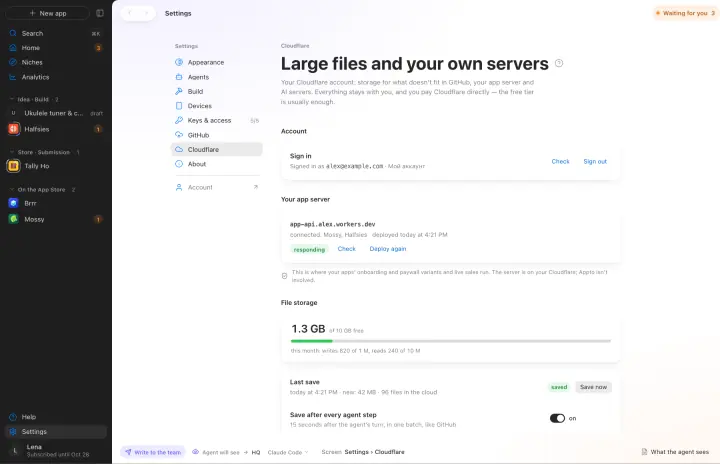
14Your own server on Cloudflare
A/B tests, live sales, AI and large files on your free Cloudflare
 01
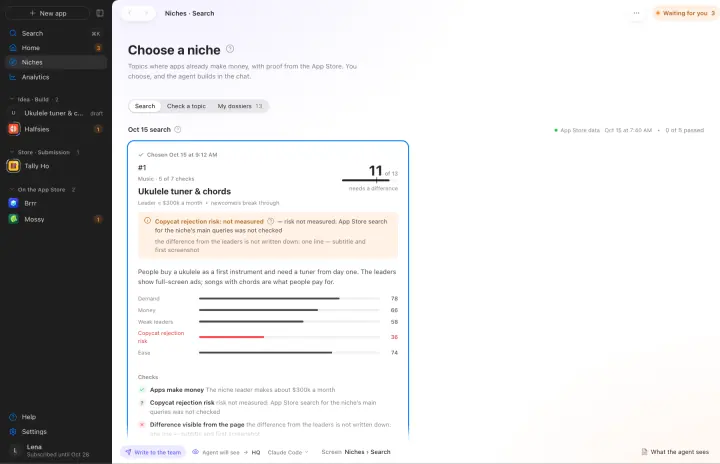
01Niche search
Where apps already make money, with App Store evidence and a niche score
 02
02Concept and similarity check
Name, core loop and monetization. Similarity to your own apps is checked before any code
Your own AI, on your own subscription
Appto runs on Claude Code or Codex with the Claude Pro or ChatGPT Plus subscription you already have. Each app can have its own agent, and you can switch any time.
Who owns the code, where the keys live, what it costs. All answers →